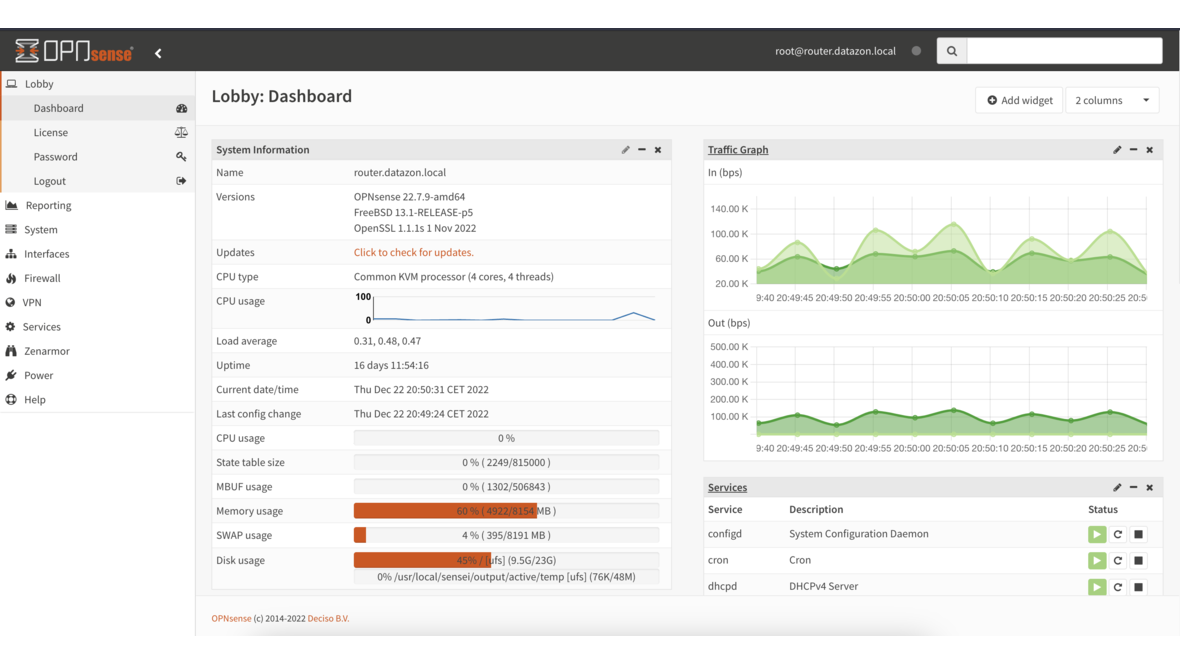
The bundled rulesets from ET Open or Abuse.ch cover known threats but know nothing about your infrastructure. An attacker infiltrating through a custom web application on port 8443 goes undetected if no matching signature exists. With Suricata custom rules on OPNsense, you close this gap and create signatures tailored precisely to your environment.
Fundamentals: Suricata Rule Syntax
Every Suricata rule follows a fixed schema consisting of Action, Header, and Options:
action protocol source_ip source_port -> dest_ip dest_port (options)Action
The action determines what happens on a match:
| Action | Description |
|---|---|
alert | Generate warning, allow traffic through |
drop | Discard packet (IPS mode only) |
reject | Discard packet and send RST/ICMP |
pass | Explicitly ignore rule (whitelist) |
Header
The header defines the protocol and network direction:
alert tcp $HOME_NET any -> $EXTERNAL_NET 443 (...)- Protocol:
tcp,udp,icmp,ip,http,dns,tls,ssh - Direction:
->(unidirectional) or<>(bidirectional) - Variables:
$HOME_NET,$EXTERNAL_NET,$HTTP_SERVERS,$DNS_SERVERS
Options
Options are the heart of every rule. They are enclosed in parentheses and separated by semicolons:
alert http $HOME_NET any -> $EXTERNAL_NET any (
    msg:"CUSTOM Suspicious User-Agent detected";
    flow:established,to_server;
    http.user_agent; content:"BadBot/1.0";
    classtype:web-application-attack;
    sid:9000001; rev:1;
)
Key options:
- msg: Rule description (appears in the alert)
- flow: Connection state (
established,to_server,to_client) - content: Byte pattern in the payload
- pcre: Regular expression for complex patterns
- sid: Unique signature ID (custom: start at 9000000)
- rev: Rule revision number
- classtype: Classification (e.g.,
trojan-activity,web-application-attack)
Creating Signatures for Your Own Services
Example 1: Brute-Force Detection on Custom Web Portal
An internal portal on port 8443 needs protection against brute-force attacks:
alert http $EXTERNAL_NET any -> $HOME_NET 8443 (
    msg:"CUSTOM Brute-force attempt on internal portal";
    flow:established,to_server;
    http.method; content:"POST";
    http.uri; content:"/api/auth/login";
    threshold:type both, track by_src, count 10, seconds 60;
    classtype:attempted-user;
    sid:9000010; rev:1;
)
This rule triggers when a single client sends more than 10 POST requests to /api/auth/login within 60 seconds. The threshold option prevents alert floods.
Example 2: Detecting Data Exfiltration via DNS
DNS tunneling uses long subdomains to exfiltrate data:
alert dns $HOME_NET any -> any 53 (
    msg:"CUSTOM Possible DNS tunneling - long subdomain";
    dns.query; content:"."; offset:50;
    threshold:type both, track by_src, count 5, seconds 120;
    classtype:bad-unknown;
    sid:9000020; rev:1;
)
When a DNS query contains a dot (.) only after offset 50, this indicates an unusually long subdomain — a typical sign of DNS tunneling.
Example 3: Detecting Unauthorized SSH Connections
SSH access should only be permitted from specific management IPs:
alert ssh !$MANAGEMENT_NET any -> $HOME_NET 22 (
    msg:"CUSTOM SSH access from unauthorized network";
    flow:established,to_server;
    classtype:policy-violation;
    sid:9000030; rev:1;
)
Define $MANAGEMENT_NET in the Suricata configuration:
vars:
  address-groups:
    MANAGEMENT_NET: "[10.10.1.0/24,10.10.2.0/24]"
Example 4: Detecting TLS Certificate Anomalies
Self-signed or suspicious TLS certificates in outbound traffic:
alert tls $HOME_NET any -> $EXTERNAL_NET 443 (
    msg:"CUSTOM Self-signed TLS certificate detected";
    flow:established,to_client;
    tls.cert_issuer; content:"O="; content:"CN=";
    tls.cert_subject; content:"O="; content:"CN=";
    tls_cert_notbefore:<-30d;
    classtype:bad-unknown;
    sid:9000040; rev:1;
)
Example 5: Detecting Cleartext Credentials
Plaintext passwords in HTTP POST requests:
alert http $HOME_NET any -> any any (
    msg:"CUSTOM Cleartext password in HTTP POST";
    flow:established,to_server;
    http.method; content:"POST";
    http.request_body; content:"password=";
    classtype:policy-violation;
    sid:9000050; rev:2;
)
Setting Up Custom Rules on OPNsense
Creating Rule Files
OPNsense expects custom rules in a defined directory:
# Create custom rules file
vi /usr/local/etc/suricata/rules/custom.rules
Alternatively, use the OPNsense web interface: Services > Intrusion Detection > Administration > User defined > Rules.
Activating Rules
- Navigate to Services > Intrusion Detection > Administration
- Switch to the Rules tab
- Filter for your custom ruleset
- Enable the desired rules
- Click Apply and restart Suricata
Defining Variables
Under Services > Intrusion Detection > Administration > User defined > General, define custom variables:
HOME_NET:       [10.0.0.0/8,172.16.0.0/12,192.168.0.0/16]
EXTERNAL_NET:   !$HOME_NET
HTTP_SERVERS:   [10.10.5.10,10.10.5.11]
DNS_SERVERS:    [10.10.1.1,10.10.1.2]
MANAGEMENT_NET: [10.10.1.0/24]
Performance Tuning
Suricata on OPNsense must analyze all network traffic in real time. Without optimization, the firewall can become a bottleneck.
Ruleset Reduction
Not every rule is relevant to every environment. Disable rules that do not match your infrastructure:
# Show rule statistics
suricatasc -c "ruleset-stats"
Typical candidates for disabling:
- SMTP rules when no mail server exists in the network
- MSSQL rules when no Microsoft databases are present
- Multimedia rules in pure server environments
- P2P rules in enterprise networks with proxy
Configuring Multi-Threading
Suricata uses workers, each occupying one CPU core. On an OPNsense appliance with 8 cores:
# /usr/local/etc/suricata/suricata.yaml (excerpt)
threading:
  set-cpu-affinity: yes
  detect-thread-ratio: 1.0

af-packet:
  - interface: igb0
    threads: 4
    cluster-type: cluster_flow
    defrag: yes
cluster_flow ensures all packets of a connection are processed by the same thread — essential for correct state tracking.
Optimizing the Stream Engine
The stream engine reassembles TCP streams. Adjust buffers to match your bandwidth:
stream:
  memcap: 512mb
  reassembly:
    memcap: 1gb
    depth: 1mb
    toserver-chunk-size: 2560
    toclient-chunk-size: 2560
Suppress Lists: Handling False Positives
No signature is perfect. Suppress lists suppress known false positives without completely disabling the rule:
# /usr/local/etc/suricata/rules/suppress.rules

# Suppress: Backup server triggers SSH brute-force alert (normal behavior)
suppress gen_id 1, sig_id 9000030, track by_src, ip 10.10.1.50

# Suppress: Monitoring server generates many DNS queries
suppress gen_id 1, sig_id 9000020, track by_src, ip 10.10.1.10

# Suppress: Known false positive in ET ruleset
suppress gen_id 1, sig_id 2024897, track by_dst, ip 10.10.5.0/24
Suppress vs. Disable
- Suppress: Rule remains active, but specific IPs/networks are excluded
- Disable: Rule is completely deactivated
Prefer suppress over disable — this keeps you protected when a new client appears on the network.
EVE JSON Logging
Suricata’s EVE JSON format delivers structured logs that integrate excellently into SIEM systems:
# /usr/local/etc/suricata/suricata.yaml
outputs:
  - eve-log:
      enabled: yes
      filetype: regular
      filename: eve.json
      types:
        - alert:
            tagged-packets: yes
            payload: yes
            payload-printable: yes
            http-body: yes
            http-body-printable: yes
        - http:
            extended: yes
        - dns:
            query: yes
            answer: yes
        - tls:
            extended: yes
        - files:
            force-magic: yes
Analyzing EVE JSON
# Show alerts from the last hour
cat /var/log/suricata/eve.json | \
  jq 'select(.event_type=="alert") | {timestamp, src_ip, dest_ip, alert: .alert.signature}'

# Top 10 triggered rules
cat /var/log/suricata/eve.json | \
  jq -r 'select(.event_type=="alert") | .alert.signature' | \
  sort | uniq -c | sort -rn | head -10
Syslog Forwarding
For integration into a central SIEM, forward EVE JSON via syslog:
# OPNsense: System > Settings > Logging / targets
Target:     siem.example.com:5514
Transport:  TLS
Format:     JSON (EVE)
Rule Development Workflow
A structured workflow for developing and maintaining custom rules:
- Identify: Recognize threat or policy requirement
- Develop: Write rule and validate in a test environment
- Test: Deploy rule in alert-only mode (
alert) - Observe: Monitor for false positives over 1–2 weeks
- Tune: Adjust thresholds and suppress entries
- Activate: Switch rule to IPS mode (
drop) - Document: Record rule purpose, author, and date in the msg option
Testing with Replay
Test rules against captured traffic:
# Run PCAP file through Suricata
suricata -r /tmp/test-traffic.pcap -l /tmp/suricata-test/ -S /tmp/custom.rules

# Check results
cat /tmp/suricata-test/eve.json | jq 'select(.event_type=="alert")'
Conclusion
Custom rules extend Suricata on OPNsense from a generic IDS into a tailored security tool. The key lies in balancing detection and performance: write precise rules with tight filters, use suppress lists instead of disabling rules, and thoroughly test every change in alert mode before dropping packets.
More on these topics:
More articles
pfSense Plus vs. OPNsense 2026: Current Feature Comparison
pfSense Plus vs. OPNsense 2026 technical comparison: WireGuard, Zenarmor, HAProxy, Suricata, MFA and HA -- licensing, community and migration paths.
OPNsense HA with CARP: 3 Real-World Pitfalls
OPNsense HA with CARP in SMB environments: the three most common pitfalls -- config drift, sync-interface saturation and DHCP failover -- with fix procedures.
Replacing the Fritzbox with OPNsense: When SMBs Should Switch
When does the Fritzbox stop being enough? OPNsense as the SMB successor: VLANs, real firewall rules, VPN concentrator and SNMP monitoring.