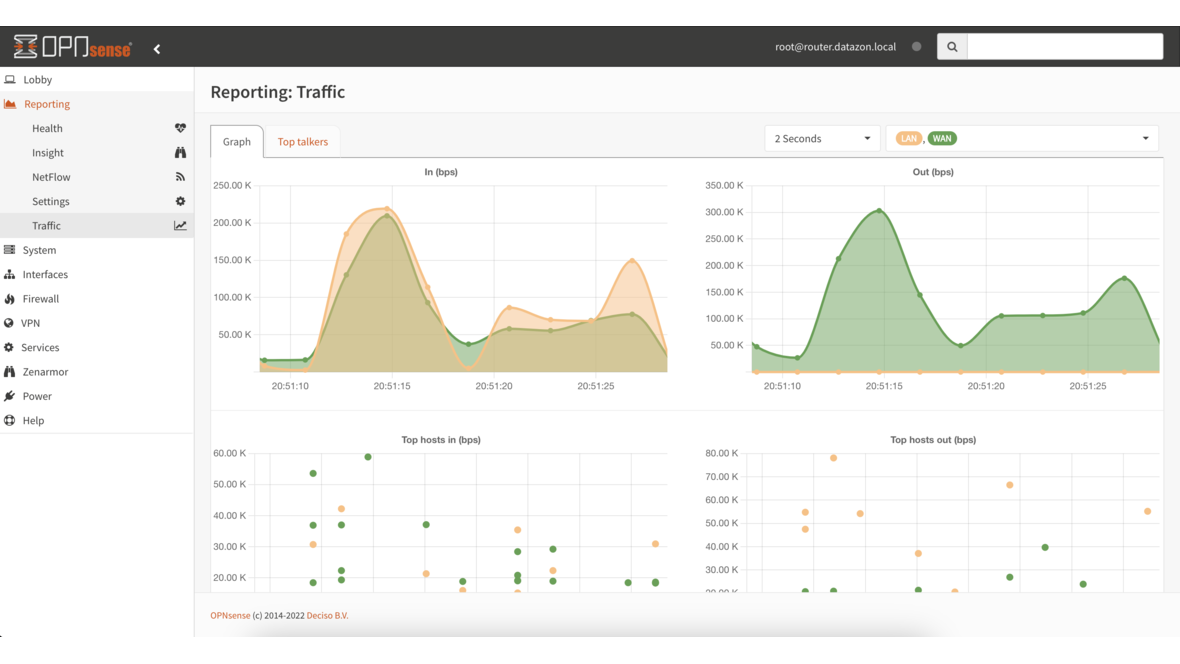
OPNsense has followed a fixed release cadence for years: a major release appears in January and July (X.1 and X.7), with minor updates and security patches in between. The 2026 summer release therefore falls in July under this pattern — either version 26.7 has just shipped as this article is published, or it is days away.
We link to the official release notes at the end of this article; everything definitive lives there. Here we set expectations based on the established OPNsense roadmap and the preceding releases — and we cover what really matters when you upgrade.
The OPNsense Release Cadence
A short look back at the major releases shows the logic:
| Release | Date | Codename | Focus |
|---|---|---|---|
| 24.1 | January 2024 | Savvy Shark | UI modernization, MFA, API |
| 24.7 | July 2024 | Thriving Tiger | FreeBSD jump, OpenVPN DCO |
| 25.1 | January 2025 | Ultimate Unicorn | Plugin refactoring, MVC migration |
| 25.7 | July 2025 | – | (see release notes) |
| 26.1 | January 2026 | – | (see release notes) |
| 26.7 | July 2026 | (t.b.a.) | HardenedBSD/FreeBSD update, plugin refresh |
Major releases typically include:
- Major upstream update of the base (HardenedBSD / FreeBSD)
- New kernel version with refreshed drivers
- Updated plugins (Suricata, Zenarmor, HAProxy, ACME client)
- GUI improvements and API extensions
- Security patches for PHP, OpenSSL, Unbound, OpenVPN
What Deciso traditionally does not ship in a .7 release: experimental refactors that still need to settle in a January LTS line. The July releases are usually the “platform jump” releases with the fresher upstream base.
What to Realistically Expect from 26.7
We deliberately separate confirmed items from the public roadmap from likely updates:
Confirmed / publicly prepared
- FreeBSD / HardenedBSD update. Historically the July major releases were the points where the upstream base was bumped. The exact version target for 26.7 will be in the release notes.
- Plugin updates. Suricata, Zenarmor, HAProxy and the ACME client routinely receive functional updates in major releases.
- Security updates for the core components (PHP, OpenSSL, Unbound, OpenVPN, IPsec/strongSwan, WireGuard).
Plausible based on the roadmap
- Further MVC migrations in the UI — OPNsense has been moving older legacy pages into the modern MVC framework for several years.
- API extensions covering more endpoints that today are only reachable through the UI.
- Performance improvements in Suricata (multi-threading, DPDK paths depending on platform).
- Better WireGuard integration — both in the UI and in the reporting layer.
What we don’t speculate on
What concrete features ship in 26.7 and what they are named — please read the official release notes. We deliberately avoid invented feature lists that would later be wrong.
Upgrade Path: How to Proceed
Regardless of the exact features 26.7 brings, the upgrade process follows the established pattern:
1. Preparation
- Configuration backup via System → Configuration → Backups. Ideally encrypted and stored externally.
- Document your plugin list. Which plugins are active? At which version?
- Read the release notes. Especially the “Known Issues” and “Backward Incompatibility” sections.
- Schedule a maintenance window. A reboot after a major release upgrade is mandatory.
2. Run the Update
Via the UI in System → Firmware → Updates:
1. Click "Check for updates"
2. The major release notice appears
3. Read the release notes linked in the UI
4. "Click to upgrade" starts the download
5. After completion: reboot
On the console via SSH:
opnsense-update
opnsense-update -k # kernel
reboot
3. After the Update
- Re-check plugins — some require a separate update.
- Reload Suricata rules (usually automatic).
- Test VPN connections (WireGuard, OpenVPN, IPsec).
- DHCP, DNS, captive portal — verify the core services.
- Check reporting data (some statistics tables are migrated during major updates).
Rollback Strategy
OPNsense supports boot environments (BE) on ZFS installations. Before the update a BE snapshot is created automatically — from the boot menu you can roll back to the previous version.
On UFS installations (older setups) rollback is more painful: reinstall from a recent backup. If you haven’t moved to ZFS, do so before a major release — the effort pays off on every subsequent update.
When Should You Wait?
Some administrators deliberately skip the day-one of a major release. Reasonable waiting windows:
- Production firewalls in critical infrastructure: Wait 2–4 weeks for the first patch release (e.g. 26.7.1). Experience shows that minor fixes arrive in the first weeks after a major release.
- Standby cluster with CARP: Upgrade the backup node first, run a load test, then the master. See also OPNsense High Availability with CARP.
- Test environments: Right away. That’s the point of having them.
Don’t Forget Security Updates in Parallel
Major releases are not the only update path. OPNsense ships regular security updates between major versions. If you postpone a major upgrade for caution, still apply ongoing security patches on the older line — a 26.1 on the latest patch level is safer than an unmaintained 26.7.
Strategic Shifts at OPNsense
From an advisory perspective, what stands out: OPNsense has become noticeably more enterprise-ready over the past few years. Concrete observations from DATAZONE projects:
- HA via CARP runs reliably in practice and without exotic hardware requirements.
- WireGuard integration is no longer a bolt-on plugin but a first-class citizen in the UI.
- API-first tendency makes automation (Ansible, Terraform) workable.
- The Zenarmor NGFW plugin closes the gap to commercial NGFW vendors on the application layer.
- Reporting is significantly better than two years ago — Grafana integration is now standard.
This maturity is why we at DATAZONE consider OPNsense a serious alternative to Sophos, Fortinet and WatchGuard in the professional mid-market — see Sophos / Fortinet — Switch to OPNsense.
Plugin Status at Release Time
An experience-based observation on major releases: not every plugin is ready on day one. Zenarmor and some community plugins typically need a few days to catch up. If you depend on a specific plugin, check the OPNsense forum briefly before upgrading whether the plugin is marked for the new major version.
For plugins not yet listed in the major-version compatibility matrix: wait or test in a non-production setup — don’t push to production without validation.
What Does 26.7 Mean for Ongoing Projects?
From DATAZONE’s view on current customer projects:
- New OPNsense installs from today onward: start with 26.7 (or wait for the first patch release 26.7.1).
- Existing 26.1 installs: schedule the move to 26.7 in the next 4–8 weeks — plan the maintenance window in advance.
- Older installs (25.x or earlier): move to 26.1 first, then to 26.7. Don’t skip two major versions at once.
Conclusion
OPNsense 26.7 fits into the established release pattern — major upstream update, plugin refresh, GUI improvements. The exact feature highlights live in the official release notes; we don’t speculate.
What stays timeless: the upgrade process itself. Anyone who takes backup, maintenance window and rollback strategy seriously has little to fear from even a larger-than-expected jump.
Sources and Further Reading
More on these topics:
More articles
100 GbE Is the New 10 GbE: Why the Mid-Market Must Rethink Now
25 GbE and 100 GbE have arrived in the mid-market. SFP28 is backward-compatible with SFP+, NVMe saturates 10 GbE trivially, the MikroTik CRS520 makes 100 GbE affordable. Three clear recommendations per network class — SMB backbone, storage, high-end.
WireGuard Site-to-Site VPN in 30 Minutes
Concrete tutorial — connect two sites (head office and branch) via WireGuard on OPNsense. Generate key pairs, configure peers, set allowed IPs correctly, persistent keepalive for NAT traversal, firewall and routing rules. Production-ready in 30 minutes.
OPNsense Multi-WAN: Failover Done Right for SMB
Configure two WAN connections in OPNsense — fibre and LTE backup — as a failover for the mid-market. Gateway groups, Tier 1/2, health checks via monitor IP, sticky connections for VoIP, outbound NAT per WAN. Why true failover beats load balancing for most SMBs.