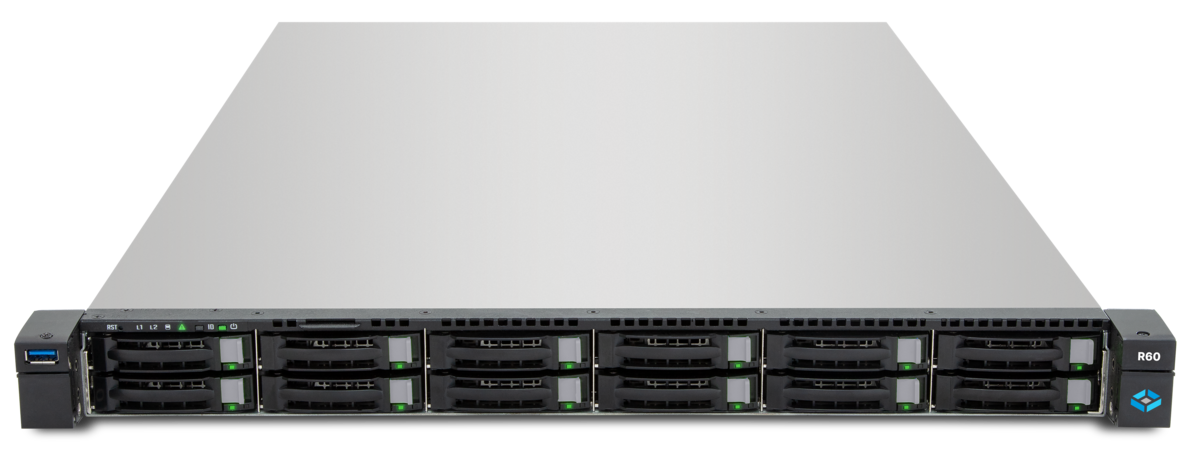
Encryption at rest is no longer optional — it is a regulatory requirement and the foundation of any serious security concept. Organizations running TrueNAS have a powerful tool built right in: ZFS native encryption. This article explains how to set up and sustainably operate encryption at rest with TrueNAS the right way.
Why Encryption at Rest Is Non-Negotiable
Physical theft happens. A removed hard drive, a stolen server, a forgotten backup medium — without encryption, accessing all data is trivial. No authentication, no password protects someone who holds the storage medium directly in their hands.
Regulatory frameworks also require or strongly recommend encryption:
- GDPR (Art. 32): Technical measures to protect personal data — encryption is explicitly cited as an example.
- ISO 27001: Control A.10.1.1 requires a policy on the use of cryptographic controls.
- NIS2 and sector-specific requirements: Organizations in critical sectors are obligated to protect data against unauthorized access — encryption at rest is a standard building block.
In the event of a breach, encryption makes a decisive difference: under the GDPR, an organization that can demonstrate that stolen media was encrypted may not be required to file a data breach notification. That is not just a legal advantage — it also protects reputation.
ZFS Native Encryption vs. LUKS vs. VeraCrypt
TrueNAS users have three fundamental options for encryption:
| Criterion | ZFS Native Encryption | LUKS (Linux) | VeraCrypt |
|---|---|---|---|
| Integration | Deep ZFS integration | Block-level | File/container level |
| Granularity | Per dataset or pool | Per partition/Zvol | Per container |
| Snapshots | Fully compatible | Works | Limited |
| Replication | Encrypted ZFS sends | Not directly | Not directly |
| Key management | Built into ZFS | External tools required | Own system |
| TrueNAS support | Native, GUI-managed | No GUI support | No GUI support |
For TrueNAS, ZFS native encryption is the correct choice: it is deeply integrated into the filesystem, supports encrypted replication, and can be fully managed through the TrueNAS GUI. LUKS is appropriate for Linux systems without ZFS; VeraCrypt is suited for portable containers — neither is a sensible approach for TrueNAS deployments.
Dataset Encryption vs. Pool Encryption
ZFS encryption can be applied at two levels:
Pool encryption means the entire pool is encrypted. While this sounds like maximum security, it has a critical drawback: TrueNAS itself stores operational data (configuration, logs) in the system dataset of the pool. If the entire pool is locked, TrueNAS cannot boot.
Dataset encryption is the recommended approach: the root dataset of the pool remains unencrypted, while the actual user data datasets are encrypted individually. The system boots normally, and sensitive data stays locked until explicitly unlocked.
Practical recommendation for most environments:
- Root dataset of the pool: unencrypted
- Datasets for user data, VMs, backups: individually encrypted
- Separate encryption keys per data category enable granular access management
Setting Up an Encrypted Dataset in TrueNAS
The setup takes place directly in the TrueNAS GUI under Storage > Datasets.
Create a Dataset and Enable Encryption
Storage > Datasets > Add Dataset
  Name:               confidential-data
  Encryption:         Enabled (checkbox)
  Encryption Type:    Passphrase  (or Key)
  Passphrase:         [strong password]
  Confirm Passphrase: [repeat]
  Algorithm:          AES-256-GCM  (default, recommended)
Alternatively via CLI using zfs create:
zfs create -o encryption=aes-256-gcm \
           -o keyformat=passphrase \
           -o keylocation=prompt \
           tank/confidential-data
The command will then prompt interactively for a passphrase. From that moment on, the dataset is encrypted — all data written to it is encrypted on the fly using AES-256-GCM.
Passphrase vs. Key File: Which Is Better?
Passphrase is intuitive and sufficient for most environments. The downside: it must be entered manually on every unlock, which prevents automatic unlocking at boot without additional measures.
Key file (hex key) is a machine-readable 256-bit random key stored in a file. Advantages:
- Can be stored for automatic unlocking
- No human factor affecting key quality
- Easier to integrate into automated workflows
# Generate a key file and encrypt the dataset with it
openssl rand -hex 32 > /mnt/secure/tank-confidential.key
chmod 400 /mnt/secure/tank-confidential.key

zfs create -o encryption=aes-256-gcm \
           -o keyformat=hex \
           -o keylocation=file:///mnt/secure/tank-confidential.key \
           tank/confidential-data
The key file itself must be stored securely — ideally on an encrypted, separate medium or in a Hardware Security Module (HSM).
Key Management and Escrow
The most common mistake with encryption at rest: the key gets lost. Without the key, data is irretrievably gone — that is the whole point of encryption, but it is also the greatest risk.
Key escrow refers to the secure deposit of keys with a trusted third party or at a separate, secure location. Recommended practice:
- Passphrase documentation: Store passphrases in a password manager such as Bitwarden or 1Password — with access rights for at least two administrators.
- Key file backup: Copies of key files on an encrypted USB drive stored in a safe or safe deposit box.
- Recovery testing: Test the restore process at least once per year — an untested key is not a reliable key.
In TrueNAS, encryption keys can be exported directly:
Storage > Datasets > [Dataset] > Export KeyThe export provides the raw key as a download — store it securely immediately and do not leave it on the TrueNAS system.
Unlocking Datasets: Manual vs. Automatic
Manual Unlocking
After a TrueNAS reboot, encrypted datasets are locked by default. Unlocking is done through the GUI:
Storage > Datasets > [Dataset] > Unlock
  Provide passphrase or key file
Or via CLI:
zfs load-key tank/confidential-data
zfs mount tank/confidential-data
Automatic Unlocking at Boot
For datasets using key files, TrueNAS can be configured to unlock automatically at startup:
Storage > Datasets > [Dataset] > Edit > Encryption Options
  Unlock at Boot: Enabled
This requires the key file to be stored at a location accessible to TrueNAS during boot. Important: If the key file is stored on the TrueNAS system itself, automatic unlocking only protects against physical theft of individual drives — not against theft of the entire system including the key file.
For maximum security, manual unlocking is the right choice: the system boots, data stays locked, and an administrator unlocks explicitly. This makes sense for highly sensitive environments where availability takes a back seat to security.
Exporting and Importing Encrypted Pools
Encrypted pools can be migrated to different hardware — the key does not need to travel with the data.
# Export the pool
zpool export tank

# Import the pool on the new system (without key — datasets remain locked)
zpool import tank

# Load the key and unlock the dataset
zfs load-key tank/confidential-data
zfs mount tank/confidential-data
This is an important concept: encryption is fully preserved through export and import. Anyone who obtains the drives without the key sees only a ciphertext stream.
Performance Impact: AES-NI Makes the Difference
Encryption costs CPU time — without hardware acceleration. All modern processors (Intel since 2010, AMD since 2011) support AES-NI, the hardware-accelerated AES instruction set. With AES-NI, the performance overhead of ZFS encryption is practically negligible:
| Scenario | Throughput without encryption | Throughput with AES-256-GCM + AES-NI |
|---|---|---|
| Sequential read | ~3 GB/s | ~2.9 GB/s (-3%) |
| Sequential write | ~2 GB/s | ~1.9 GB/s (-5%) |
| Random IOPS | Latency-dependent | Virtually identical |
To verify AES-NI is active on your system:
grep -m1 aes /proc/cpuinfo
# Output should contain "aes" in the flags line
In TrueNAS, the status is visible under System > Advanced > AES-NI. Without AES-NI, the CPU can become a bottleneck under heavy load — one more reason to run on current hardware.
AES-256-GCM is the recommended algorithm: GCM (Galois/Counter Mode) is an authenticated encryption mode that ensures integrity and confidentiality simultaneously. It is faster than CBC and provides additional protection against tampering through authentication.
Backup with Encrypted Replication
Backups of encrypted datasets have an important property: ZFS supports encrypted replication, where data is transmitted in encrypted form — without the destination system needing to know the key.
# Replicate an encrypted snapshot (key stays on source system)
zfs snapshot tank/confidential-data@backup-2026-04-01
zfs send -Rw tank/confidential-data@backup-2026-04-01 | \
  ssh backup-server zfs receive backup-tank/confidential-data
The -w (raw) parameter transfers the encrypted blocks directly — the destination system receives a ciphertext stream and cannot decrypt it without the key. This is ideal for offsite backups to external providers: the backup provider sees only encrypted data.
In TrueNAS, this can be configured via Data Protection > Replication Tasks — the Include Dataset Properties option ensures that encryption metadata is transferred along with the data.
Audit Trail with DATAZONE Control
Encryption is a technical safeguard — but without monitoring, you have no visibility into when datasets were unlocked, who had access, or whether keys were exported. DATAZONE Control closes this gap:
- Unlock event monitoring: Every manual or automatic unlock of a dataset is logged.
- Key export alerts: When an encryption key is exported, an immediate notification is triggered.
- Dataset status monitoring: The question “Which datasets are currently unlocked?” is always visible in the dashboard.
- Compliance reports: Automated evidence for GDPR audits and ISO 27001 certifications, documenting which data was protected by which encryption measures and when.
Encryption without logging is like a safe without an access log — technically secure, but audit-proof it is not.
Conclusion
ZFS native encryption in TrueNAS is mature, performant encryption deeply integrated into the filesystem. With AES-256-GCM and AES-NI hardware acceleration, the performance overhead is minimal. The real effort lies in key management: keys must be securely stored, regularly tested, and transparently documented.
Dataset encryption rather than pool encryption, a careful key escrow strategy, encrypted replication for offsite backups, and continuous monitoring through DATAZONE Control — these are the building blocks of an encryption strategy that meets compliance requirements and genuinely protects when it matters.
Looking to implement encryption at rest for your TrueNAS environment while cleanly meeting compliance requirements? Contact us — we design and implement your encryption strategy including key management and audit trail.
More on these topics:
More articles
TrueNAS Made in USA: Honestly Assessing the Data Privacy Debate for EU Customers
TrueNAS is developed in the US -- is that a GDPR problem? An honest look at CLOUD Act, telemetry, source-available code and support contracts for EU customers.
NFS Ganesha vs. Kernel NFSd: What Makes Sense in TrueNAS and When
User-space Ganesha or kernel NFSd on TrueNAS? We break down strengths, limits and the right pick for 10GbE, Proxmox and ESXi environments.
OPNsense Suricata: Rule Tuning Without False-Positive Floods
Tuning Suricata in OPNsense properly: ET/Open vs. commercial rulesets, threshold and suppression lists, SIEM integration and IOC rules against alert fatigue.