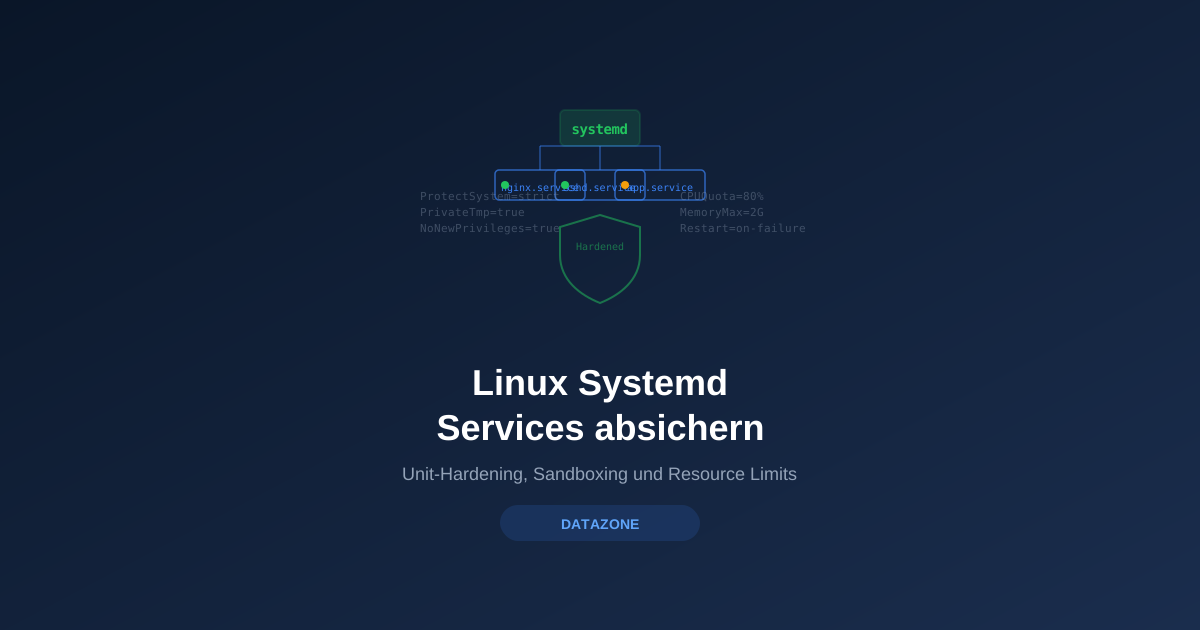
Every service on a Linux server is a potential attack surface. A compromised web server running as root with access to the entire filesystem quickly becomes a catastrophe. Systemd offers dozens of security options that isolate services in sandboxes, restrict filesystem access, and limit resources — without modifying the application itself.
systemd-analyze security: Assessing the Status Quo
Before implementing hardening measures, analyze the current state:
systemd-analyze securityThe output shows a security rating for each service from 0.0 (secure) to 10.0 (insecure):
UNIT                      EXPOSURE PREDICATE   HAPPY
nginx.service             9.6      UNSAFE      😨
postgresql.service        9.2      UNSAFE      😨
sshd.service              9.6      UNSAFE      😨
prometheus.service        9.6      UNSAFE      😨
A score of 9+ means the service has virtually no restrictions. For a detailed analysis of a single service:
systemd-analyze security nginx.serviceThis shows all security directives and their current status — red-marked entries are active risks.
Filesystem Protection
ProtectSystem
ProtectSystem makes system directories read-only:
[Service]
# "strict" makes the entire filesystem read-only
# Define exceptions via ReadWritePaths
ProtectSystem=strict
ReadWritePaths=/var/log/nginx /var/cache/nginx /run/nginx| Value | Effect |
|---|---|
true | /usr and /boot read-only |
full | Like true + /etc read-only |
strict | Entire filesystem read-only (recommended) |
ProtectHome
Prevents access to home directories:
[Service]
# true: /home, /root, /run/user inaccessible
ProtectHome=true

# read-only: read access allowed, no writing
# ProtectHome=read-only

# tmpfs: empty tmpfs mounts instead of real directories
# ProtectHome=tmpfs
PrivateTmp
Gives the service its own /tmp directory, isolated from all other processes:
[Service]
PrivateTmp=true
Without PrivateTmp, all services share the same /tmp — a classic vector for symlink attacks and privilege escalation.
ReadOnlyPaths and InaccessiblePaths
For granular control:
[Service]
# Specific paths read-only
ReadOnlyPaths=/etc /var/lib/shared-data

# Specific paths completely inaccessible
InaccessiblePaths=/root /home /mnt /media

# Only specific paths writable (with ProtectSystem=strict)
ReadWritePaths=/var/lib/myapp /var/log/myapp /run/myapp
Kernel and Device Protection
ProtectKernelTunables
Prevents changes to /proc/sys, /sys, and similar kernel interfaces:
[Service]
ProtectKernelTunables=true
A compromised service cannot modify kernel parameters — no sysctl manipulation, no disabling ASLR, or similar attacks.
ProtectKernelModules
Prevents loading and unloading kernel modules:
[Service]
ProtectKernelModules=true
ProtectKernelLogs
Blocks access to the kernel log ring buffer:
[Service]
ProtectKernelLogs=true
ProtectControlGroups
Makes the cgroup hierarchy read-only:
[Service]
ProtectControlGroups=true
PrivateDevices
Creates a minimal /dev environment without physical devices:
[Service]
PrivateDevices=true
The service only sees /dev/null, /dev/zero, /dev/full, /dev/random, and /dev/urandom — no access to disks, USB devices, or other hardware.
Restricting Capabilities
Linux capabilities subdivide root privileges into individual privileges. Instead of giving a service full root access, you can assign exactly the capabilities it needs:
CapabilityBoundingSet
[Service]
# Only allow necessary capabilities
CapabilityBoundingSet=CAP_NET_BIND_SERVICE CAP_DAC_READ_SEARCH

# Remove all capabilities (for services that don't need root)
CapabilityBoundingSet=
Important capabilities:
| Capability | Permits | Typical Services |
|---|---|---|
CAP_NET_BIND_SERVICE | Bind ports < 1024 | nginx, Apache |
CAP_DAC_READ_SEARCH | Bypass file permissions (read) | Backup agents |
CAP_NET_RAW | Raw sockets | Monitoring (ping) |
CAP_SYS_PTRACE | Debug processes | Debugging tools |
CAP_CHOWN | Change file ownership | FTP servers |
AmbientCapabilities
For services running as a non-root user that need specific capabilities:
[Service]
User=www-data
AmbientCapabilities=CAP_NET_BIND_SERVICE
CapabilityBoundingSet=CAP_NET_BIND_SERVICE
Preventing Privilege Escalation
NoNewPrivileges
The single most important security directive — prevents the process or its children from ever gaining more privileges than at startup:
[Service]
NoNewPrivileges=true
With NoNewPrivileges=true, SUID binaries and capability escalation no longer work. This prevents an entire class of privilege escalation attacks.
PrivateUsers
Creates a separate user namespace — the service only sees itself:
[Service]
PrivateUsers=true
RestrictSUIDSGID
Prevents setting SUID/SGID bits:
[Service]
RestrictSUIDSGID=true
Network Isolation
RestrictAddressFamilies
Restricts which network protocol families can be used:
[Service]
# Only allow IPv4, IPv6, and Unix sockets
RestrictAddressFamilies=AF_INET AF_INET6 AF_UNIX

# For services with no network needs
RestrictAddressFamilies=AF_UNIX
IPAddressDeny and IPAddressAllow
Firewall at the service level:
[Service]
# Only allow local network and loopback
IPAddressAllow=127.0.0.0/8 192.168.0.0/16
IPAddressDeny=any
PrivateNetwork
Complete network isolation — the service only sees the loopback interface:
[Service]
# Only for services with no network needs
PrivateNetwork=true
Syscall Filtering
SystemCallFilter
Restricts available system calls to the minimum:
[Service]
# Systemd provides predefined groups
SystemCallFilter=@system-service

# Alternatively: explicitly block dangerous syscalls
SystemCallFilter=~@mount @clock @debug @module @reboot @swap @raw-io
Predefined syscall groups:
| Group | Description |
|---|---|
@system-service | Base set for normal services |
@network-io | Network operations |
@file-system | Filesystem operations |
@mount | Mount/unmount |
@clock | Change system time |
@debug | Debugging (ptrace) |
@module | Load kernel modules |
@reboot | Reboot system |
SystemCallArchitectures
Restricts allowed CPU architectures for syscalls:
[Service]
# Only native architecture (prevents 32-bit exploitation on 64-bit)
SystemCallArchitectures=native
Resource Limits: CPUQuota and MemoryMax
Beyond security sandboxing, systemd also provides resource limiting via cgroups:
Limiting CPU
[Service]
# Maximum 200% CPU (2 cores on a multi-core system)
CPUQuota=200%

# CPU weighting (relative to other services)
CPUWeight=50
Limiting Memory
[Service]
# Maximum RAM usage
MemoryMax=2G

# Soft limit (service may exceed but is preferentially reclaimed)
MemoryHigh=1G

# Limit swap
MemorySwapMax=500M
Limiting I/O
[Service]
# I/O weighting
IOWeight=50

# Maximum throughput per device
IOReadBandwidthMax=/dev/sda 100M
IOWriteBandwidthMax=/dev/sda 50M
Limiting Processes and Tasks
[Service]
# Maximum number of processes/threads
TasksMax=64

# Maximum number of open files
LimitNOFILE=65536
Complete Hardening Example: nginx
# /etc/systemd/system/nginx.service.d/hardening.conf
[Service]
# Filesystem
ProtectSystem=strict
ProtectHome=true
PrivateTmp=true
PrivateDevices=true
ReadWritePaths=/var/log/nginx /var/cache/nginx /run/nginx

# Kernel
ProtectKernelTunables=true
ProtectKernelModules=true
ProtectKernelLogs=true
ProtectControlGroups=true

# Capabilities
CapabilityBoundingSet=CAP_NET_BIND_SERVICE
AmbientCapabilities=CAP_NET_BIND_SERVICE
NoNewPrivileges=true

# Network
RestrictAddressFamilies=AF_INET AF_INET6 AF_UNIX

# Syscalls
SystemCallFilter=@system-service
SystemCallArchitectures=native

# Additional hardening
RestrictRealtime=true
RestrictSUIDSGID=true
ProtectClock=true
LockPersonality=true
MemoryDenyWriteExecute=true
RemoveIPC=true

# Resource limits
MemoryMax=1G
TasksMax=512
Apply:
systemctl daemon-reload
systemctl restart nginx

# Re-check security
systemd-analyze security nginx.service
# Expected: Score drops from 9.6 to approximately 2.0-3.0
Custom Timers as Cron Replacement
Systemd timers offer advantages over cron: logging via journald, dependencies, randomized delay, and the same sandboxing options as services.
Creating a Timer
# /etc/systemd/system/backup-daily.timer
[Unit]
Description=Daily backup timer

[Timer]
OnCalendar=*-*-* 02:00:00
RandomizedDelaySec=1800
Persistent=true

[Install]
WantedBy=timers.target
# /etc/systemd/system/backup-daily.service
[Unit]
Description=Daily backup job
[Service]
Type=oneshot
ExecStart=/opt/scripts/backup.sh
User=backup
Group=backup
# Hardening (same options as regular services)
ProtectSystem=strict
ReadWritePaths=/var/backup /var/log/backup
ProtectHome=true
PrivateTmp=true
NoNewPrivileges=true
MemoryMax=4Gsystemctl enable --now backup-daily.timer
systemctl list-timers backup-daily.timerTimer Variants
| Directive | Example | Description |
|---|---|---|
OnCalendar | daily, weekly, *-*-* 02:00:00 | Calendar-based (like cron) |
OnBootSec | 5min | After system boot |
OnUnitActiveSec | 1h | After last activation |
RandomizedDelaySec | 30min | Random delay (distribute load) |
Persistent | true | Catch up on missed runs |
Implementing Hardening Incrementally
Do not enable all hardening options at once — proceed step by step:
- Phase 1:
ProtectSystem=strict,ProtectHome=true,PrivateTmp=true - Phase 2:
NoNewPrivileges=true,CapabilityBoundingSet - Phase 3:
SystemCallFilter,RestrictAddressFamilies - Phase 4:
MemoryMax,CPUQuota,TasksMax
After each phase: test the service, check logs for errors, run systemd-analyze security again.
Monitoring with DATAZONE Control
DATAZONE Control monitors the systemd security configuration of all managed servers: security scores, active hardening directives, and deviations from the baseline feed into the central compliance dashboard. Automatic alerts warn when a new service is installed without hardening or when an update resets security options.
Frequently Asked Questions
Can hardening break a service?
Yes. Overly restrictive settings prevent the service from accessing required resources. Always test changes in a staging environment and check journalctl -u <service> for error messages.
Does hardening work with Docker containers?
Systemd hardening applies to the Docker daemon service, not to the containers themselves. Containers have their own isolation model (namespaces, cgroups). Both approaches complement each other.
How do I find out which capabilities a service needs?
Start with CapabilityBoundingSet= (no capabilities) and observe the error messages in the journal. Then add the required capabilities one by one.
Want to systematically harden your Linux servers? Contact us — we implement systemd hardening and monitor compliance with DATAZONE Control.
More on these topics:
More articles
TrueNAS as an Immutable Backup Target for Veeam & Proxmox (S3 Object Lock)
Immutable backups against ransomware: how to use TrueNAS as an S3-compatible immutable target with Object Lock for Veeam and Proxmox Backup Server — on-premises, without cloud egress.
Linux vs Windows Server 2026: The TCO Comparison Nobody Runs Honestly
Linux vs Windows Server 2026: an honest TCO comparison covering Datacenter core, CAL, operations, staffing, application anchors and migration. Why mixed operations is the norm.
The Cloud Is Not a Backup: On-Premises TrueNAS as Your Resilient Extra Layer
After destroyed data centers, even AWS pointed customers to their own backups. Why an on-premises backup layer with TrueNAS (immutable ZFS snapshots, pull replication, air-gap) is a mandatory part of any data strategy.